Admin Dashboard
Manage your organization from the browser
The Vouch admin dashboard provides a browser-based interface for organization administrators to manage members, review audit events, and configure integrations. Access it at https://<your-vouch-server>/admin after logging in with an administrator account.
Member management
The Members page lists all users in your organization with their current status, role, and registered security keys.
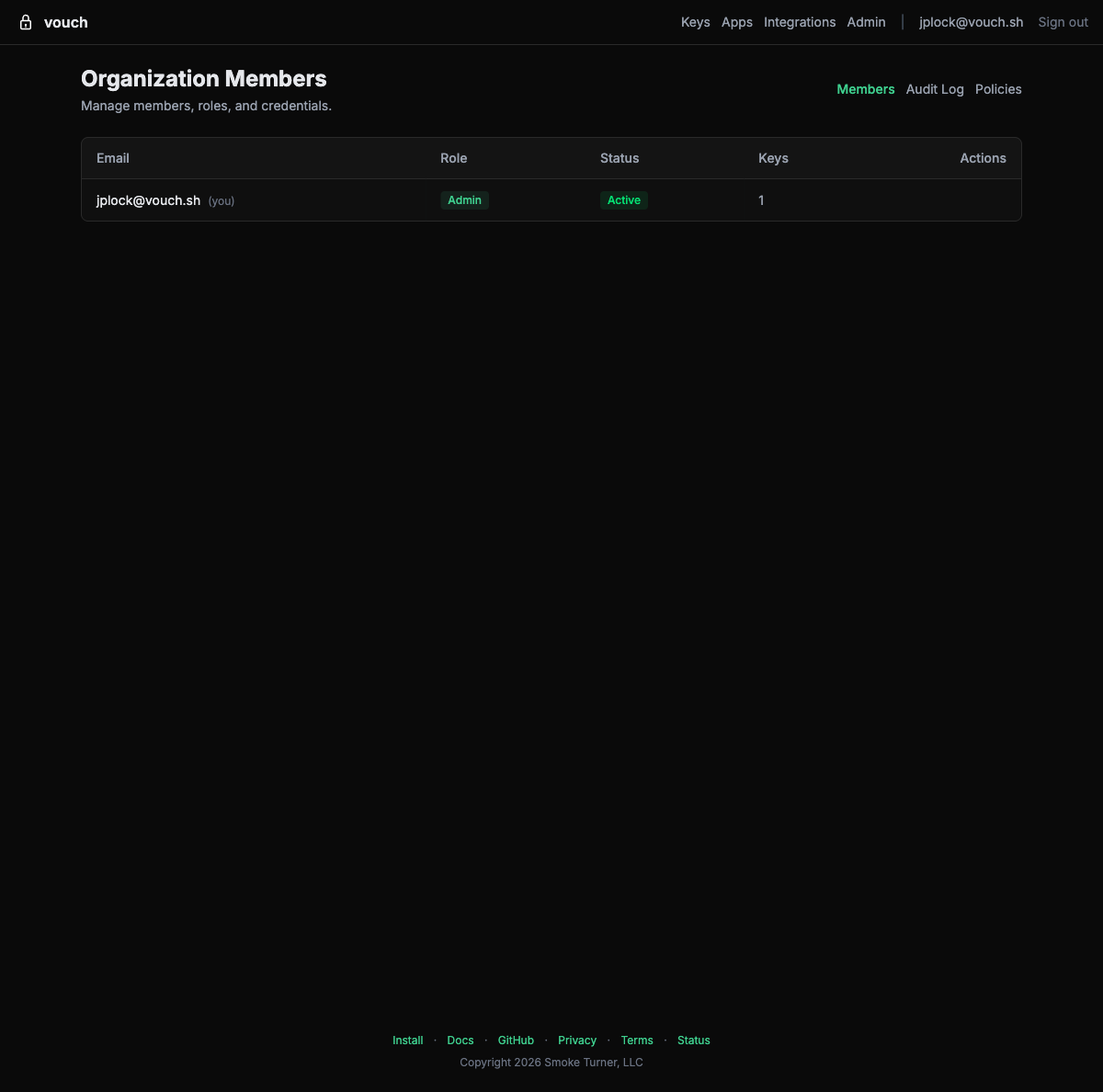
Actions
| Action | Description |
|---|---|
| Promote to admin | Grant administrator privileges to a member. |
| Demote from admin | Remove administrator privileges. |
| Deactivate | Suspend a member’s account. They cannot log in or obtain credentials until reactivated. |
| Activate | Reactivate a previously deactivated member. |
| Revoke credentials | Immediately invalidate all active credentials (SSH certificates, AWS sessions, tokens) for a member. |
| Remove | Permanently remove a member from the organization. |
Administrators cannot demote or remove themselves. This prevents accidental lockout.
Audit log
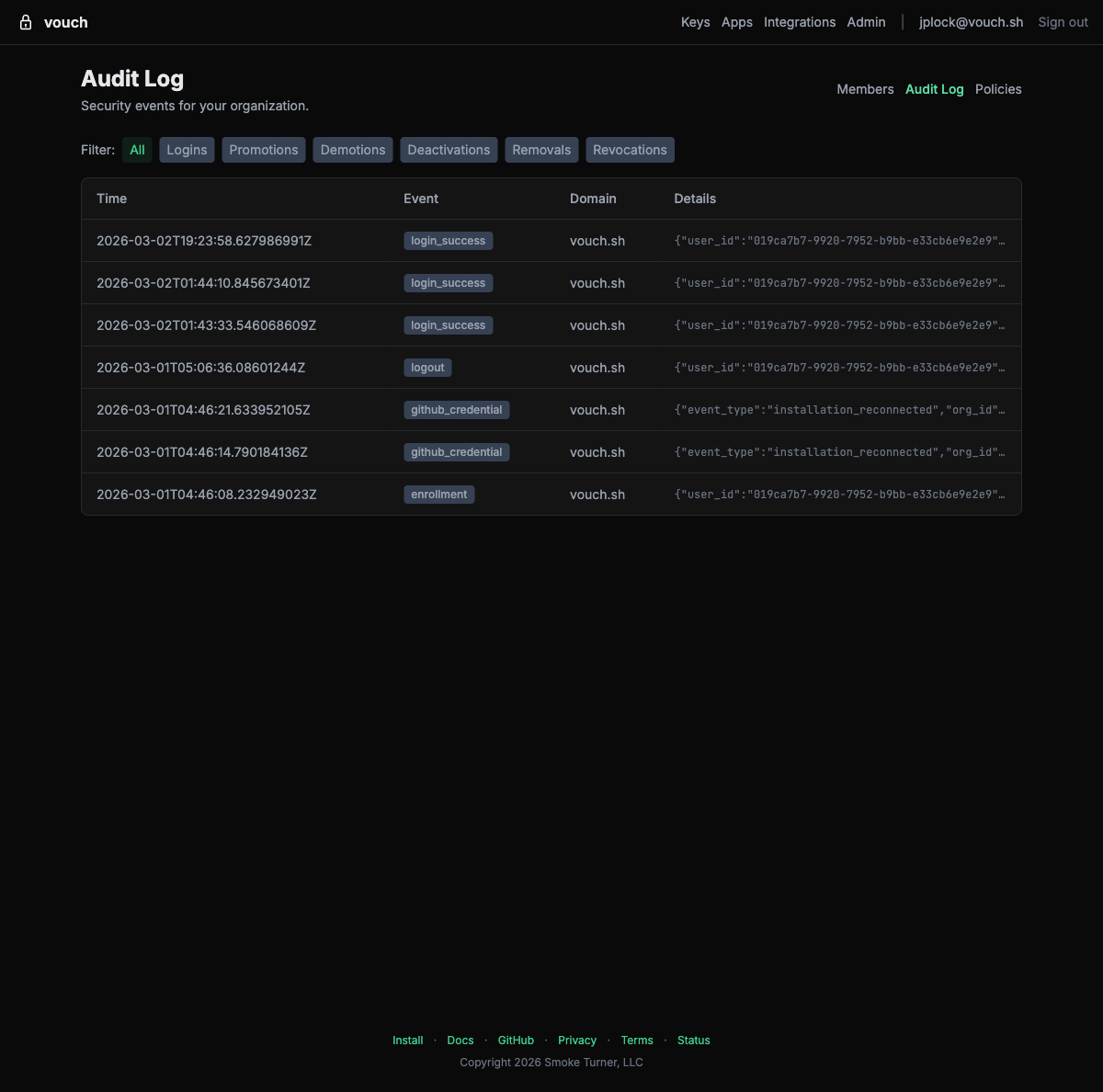
The Audit page (/admin/audit) displays a chronological record of security-relevant events across the organization. Each entry includes:
- Timestamp – When the event occurred.
- Actor – The user who performed the action.
- Event type – What happened (login, credential issuance, member change, etc.).
- Location – Approximate geographic location based on the client IP address (city, country).
- Details – Additional context such as credential type, target resource, or policy name.
Filtering
Use the event type filter buttons to narrow the audit log to specific categories: Logins, Promotions, Demotions, Deactivations, Removals, or Revocations.
Geographic data
Vouch enriches audit events with GeoIP location data. Login events show the approximate location of the client, helping security teams identify anomalous access patterns such as logins from unexpected countries.
SCIM token management
The SCIM Tokens page (/admin/scim-tokens) lets administrators create and revoke SCIM provisioning tokens from the browser. These tokens are used by your identity provider to authenticate SCIM 2.0 API requests.
| Action | Description |
|---|---|
| Create token | Generate a new SCIM bearer token. The token is displayed once at creation – copy it immediately. |
| Revoke token | Invalidate an existing token. Your identity provider will no longer be able to push user changes using that token. |
For full SCIM setup instructions including identity provider configuration, see SCIM Provisioning.
Device posture policies
The Policies page lets administrators enforce device security requirements. Built-in policies cover disk encryption, firewall, screen lock, endpoint protection, platform integrity, and OS recency. Custom policies can be written using CEL (Common Expression Language) expressions.
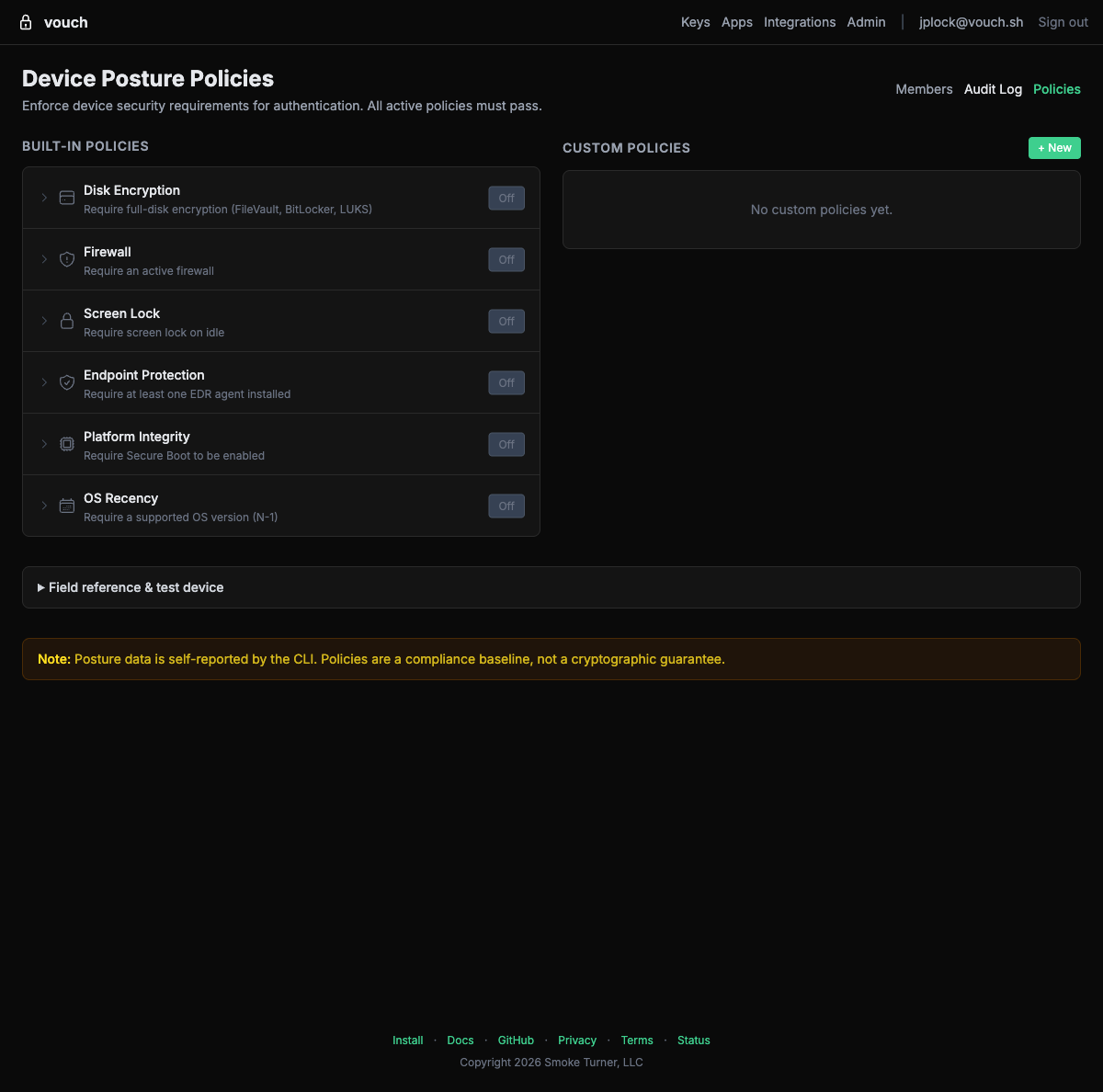
For full details on available signals, CEL expressions, and enforcement behavior, see Device Posture Policies.
Access control
Only organization administrators can access the admin dashboard. If you are not an administrator, the dashboard returns an error. To become an administrator, ask an existing admin to promote your account from the Members page.